

Data Protection
The Data Protection page controls how the LLM Proxy treats personal data, such as names, card numbers, and email addresses. For each type of data, you choose whether the proxy leaves it alone, masks it, or blocks the request.
Only admins can open this page. It is under Govern in the sidebar.
Turn on data protection
Section titled “Turn on data protection”- Open Data Protection.
- Select the settings button in the page header.
- Turn on Enabled.
- Choose a Scope.
- Select Save.
The page header now shows Status: Enabled and the scope you chose.
Settings
Section titled “Settings”| Setting | Options | Effect |
|---|---|---|
| Enabled | On or off | Turns data protection on for the whole organization. |
| Scope | Input only, Output only, Input & Output | Whether the proxy checks requests, responses, or both. |
| Restore originals to client | On or off | When on, the proxy puts the original values back into the model’s response before it reaches the client. The model still sees only the masked values. New deployments have it on. |
| Language | A language code | The language the detector analyzes. New deployments use en. |
Choose a profile
Section titled “Choose a profile”A profile sets the action for a group of entities in one step. An entity is one type of personal data, such as CREDIT_CARD.
| Profile | Entities it sets to MASK |
|---|---|
| HIPAA | US_SSN, CREDIT_CARD, MEDICAL_LICENSE, US_BANK_NUMBER, US_PASSPORT, US_ITIN, PERSON, PHONE_NUMBER, EMAIL_ADDRESS, LOCATION, IP_ADDRESS, US_DRIVER_LICENSE |
| PCI-DSS | CREDIT_CARD, IBAN_CODE, US_BANK_NUMBER, CRYPTO, PERSON, EMAIL_ADDRESS |
| GDPR | Not available. The button shows Coming soon. |
| Custom | Not selectable. |
Selecting HIPAA or PCI-DSS replaces the current entity settings with that profile’s set.
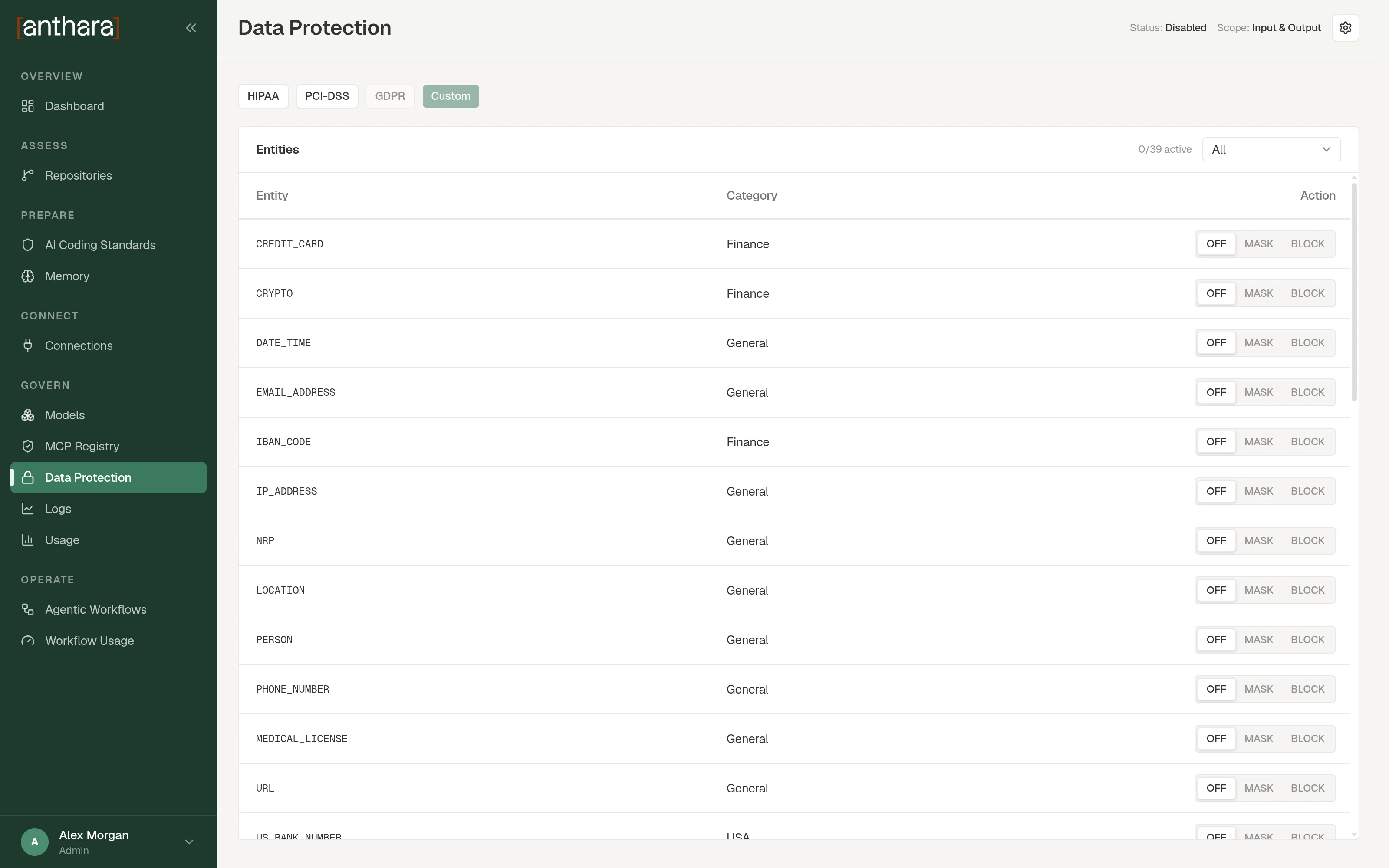
Set the action for one entity
Section titled “Set the action for one entity”- In the Entities table, find the entity. The category filter narrows the list.
- In the Action column, choose an action.
| Action | Effect |
|---|---|
| OFF | The proxy ignores this entity. |
| MASK | The proxy replaces the value before the text goes on. |
| BLOCK | The proxy rejects a request that contains this entity. |
How detection works
Section titled “How detection works”The proxy sends text to Presidio, an open-source detector for personal data. Presidio runs as two services inside your deployment, an analyzer and an anonymizer. The text is not sent to an outside service for detection.
What this does not cover
Section titled “What this does not cover”Data protection applies to traffic that passes through the LLM Proxy. Two kinds of traffic can bypass the proxy. Network and data flows lists them.