

Logs
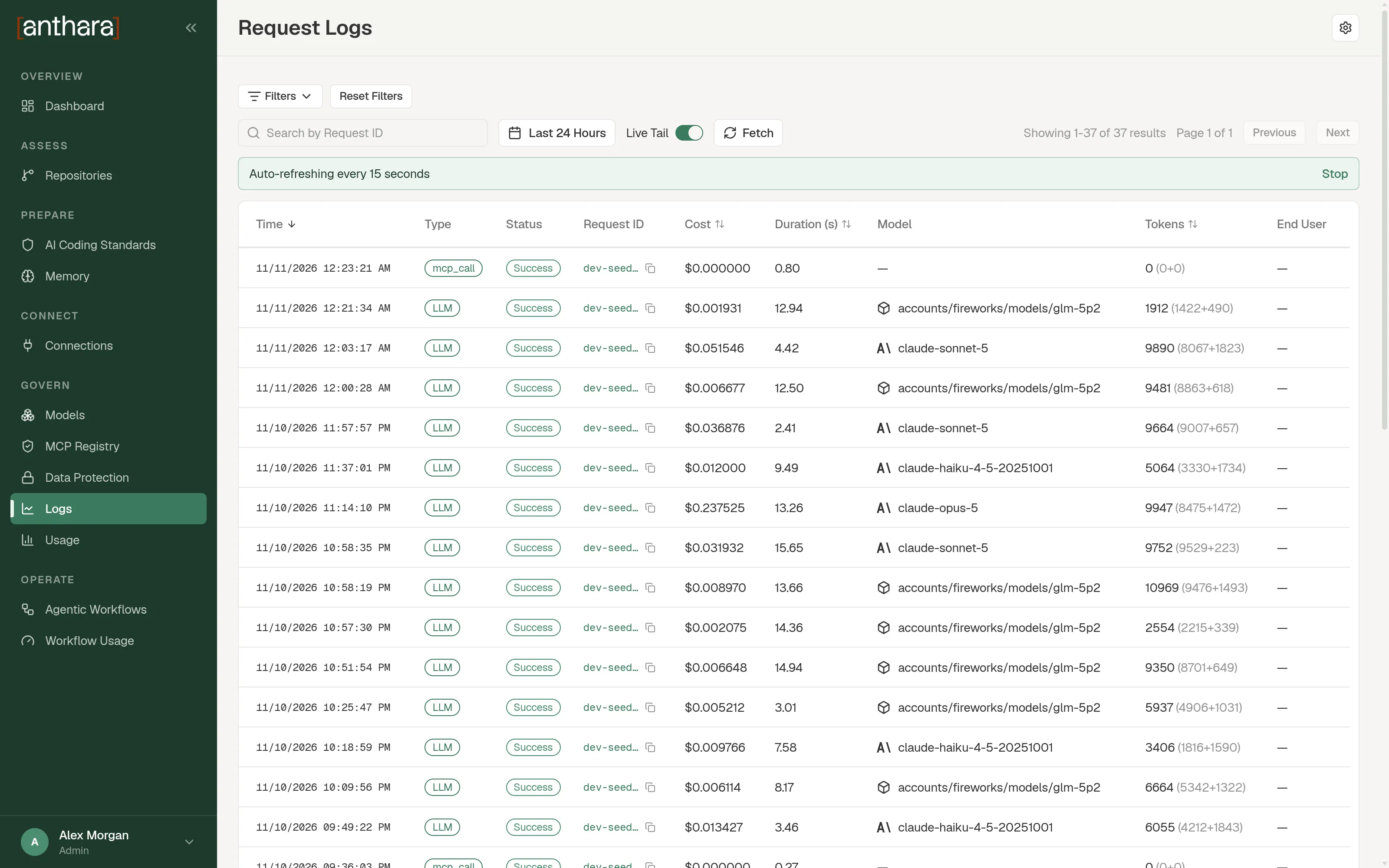
The Logs item in the sidebar opens the Request Logs page. It lists every request that passed through the LLM Proxy, with its model, cost, duration, and the user who sent it.
Only admins can open this page. It is under Govern in the sidebar.
What the table shows
Section titled “What the table shows”| Column | Meaning |
|---|---|
| Time | When the request was made. |
| Type | The kind of call. |
| Status | Whether the request succeeded or failed. |
| Request ID | The proxy’s ID for the request. |
| Cost | What the request cost. |
| Duration (s) | How long the request took, in seconds. |
| Model | The model that served the request. |
| Tokens | The tokens used. |
| End User | The person or service that sent the request. |
You can sort by Time, Cost, Duration (s), and Tokens.
Find a request
Section titled “Find a request”- Choose a time range: Last 15 Minutes, Last Hour, Last 4 Hours, Last 24 Hours, Last 7 Days, or Custom Range.
- Select Filters to narrow the list.
- Select Fetch.
If you already know the ID, paste it into Search by Request ID.
| Filter | What it matches |
|---|---|
| Status | Success or Failure. |
| End User | One user. |
| Error Code | An HTTP error code, such as 429 or 500. |
| Error Message | Text in the error message. |
| Model | One model. |
Reset Filters clears all of them.
Watch requests as they arrive
Section titled “Watch requests as they arrive”Turn on Live Tail. The table refreshes every 15 seconds.
Inspect one request
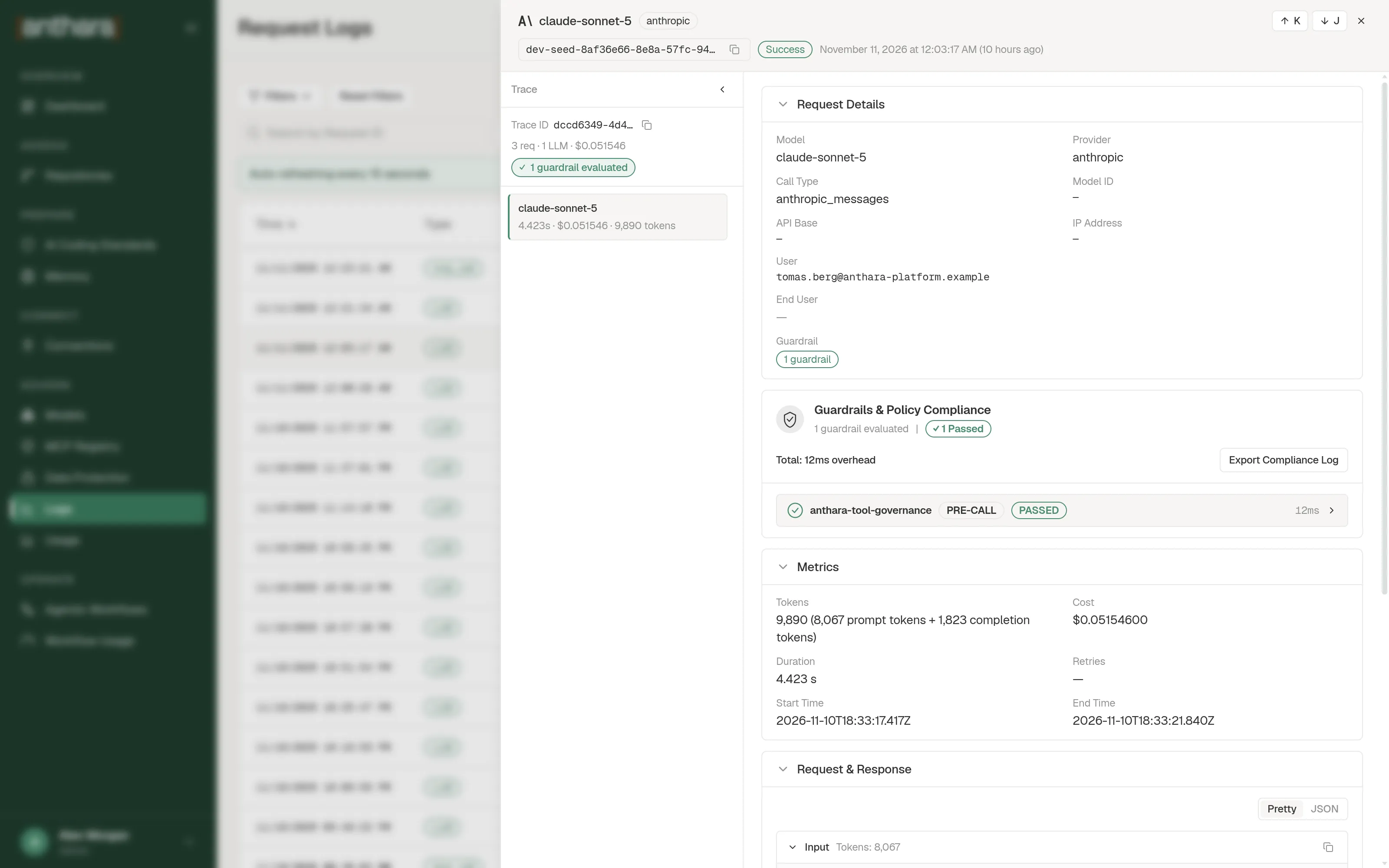
Section titled “Inspect one request”Select a row to open the request drawer. The drawer has these sections:
| Section | What it holds |
|---|---|
| Request Details | The ID, model, user, and status. |
| Metrics | Duration and token counts. |
| Request & Response | The messages sent and received. The proxy keeps this text only when Store Prompts in Spend Logs is on. |
| Cost Breakdown | How the cost was calculated. |
| Tools | The tools the request carried. |
| Tags | Tags attached to the request. |
| Metadata | The raw metadata. |
The drawer also has a collapsible Trace sidebar on the left. It lists the calls that belong to the same trace as this request.
Change what is stored and for how long
Section titled “Change what is stored and for how long”- Select the settings button in the page header.
- In Spend Logs Settings, set the two options.
- Select Save Settings.
| Option | Effect |
|---|---|
| Store Prompts in Spend Logs | When on, the proxy keeps the text of each request and response. Prompts can contain source code and personal data, so decide this with your security team. |
| Maximum Spend Logs Retention Period (Optional) | How long logs are kept. Enter a number and a unit, for example 7d or 30d. The units are s, m, h, d, w, and mo. |
A new deployment keeps logs for 180 days.
Related pages
Section titled “Related pages”- Usage shows totals and trends.
- Data Protection controls masking of personal data before it reaches the model.