

Models
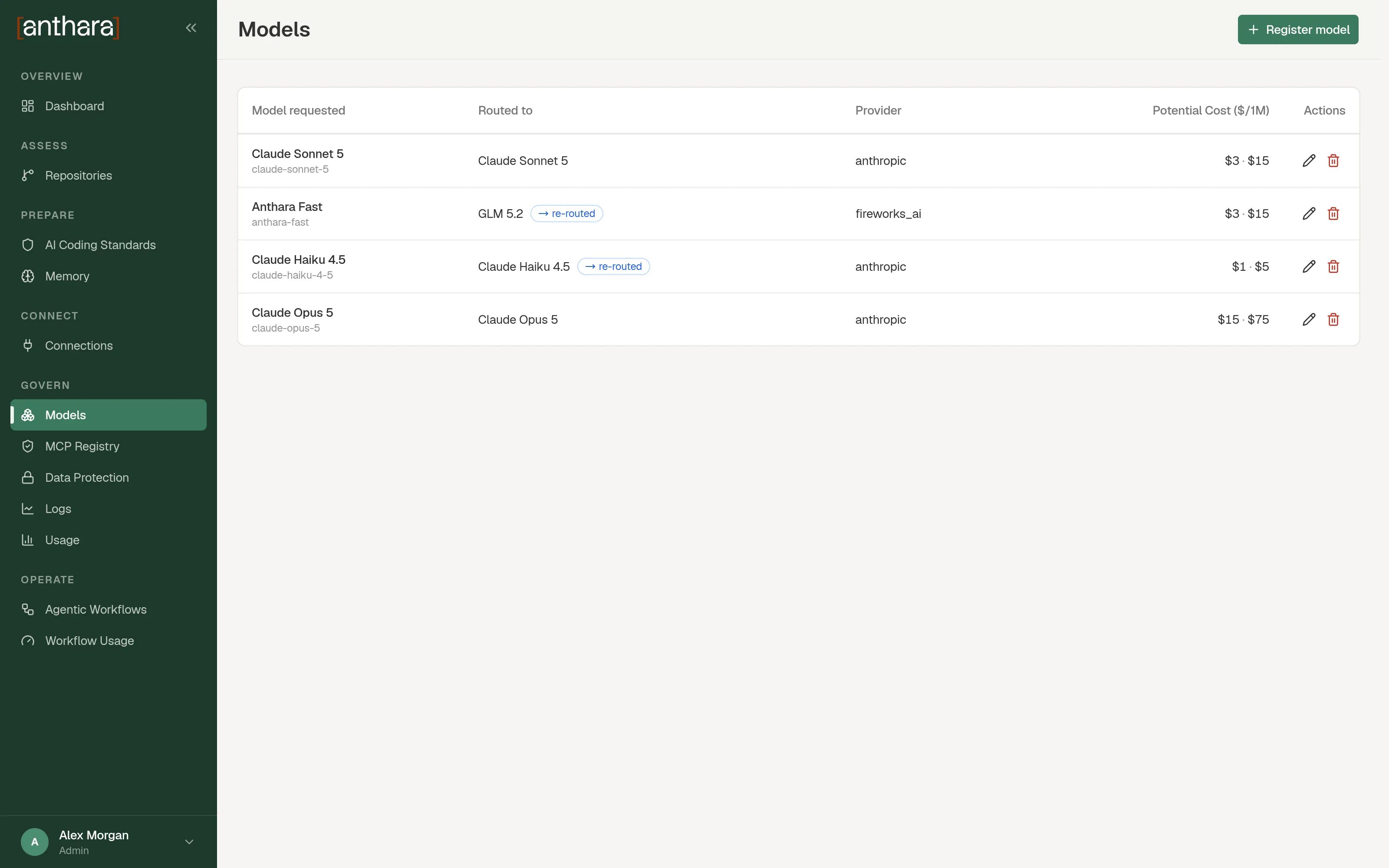
The Models page lists the models that Claude Code sessions and workflows can request through the LLM Proxy. Each entry maps a name that clients ask for to the model that actually serves the request.
Only admins can open this page. It is under Govern in the sidebar.
What the table shows
Section titled “What the table shows”| Column | Meaning |
|---|---|
| Model requested | The model name that clients send. |
| Routed to | The model that the proxy calls. |
| Provider | The provider that hosts the routed model. |
| Potential Cost ($/1M) | What the requested model would cost per million tokens at its own provider’s rates. |
| Actions | Edit and Delete. |
Register a model
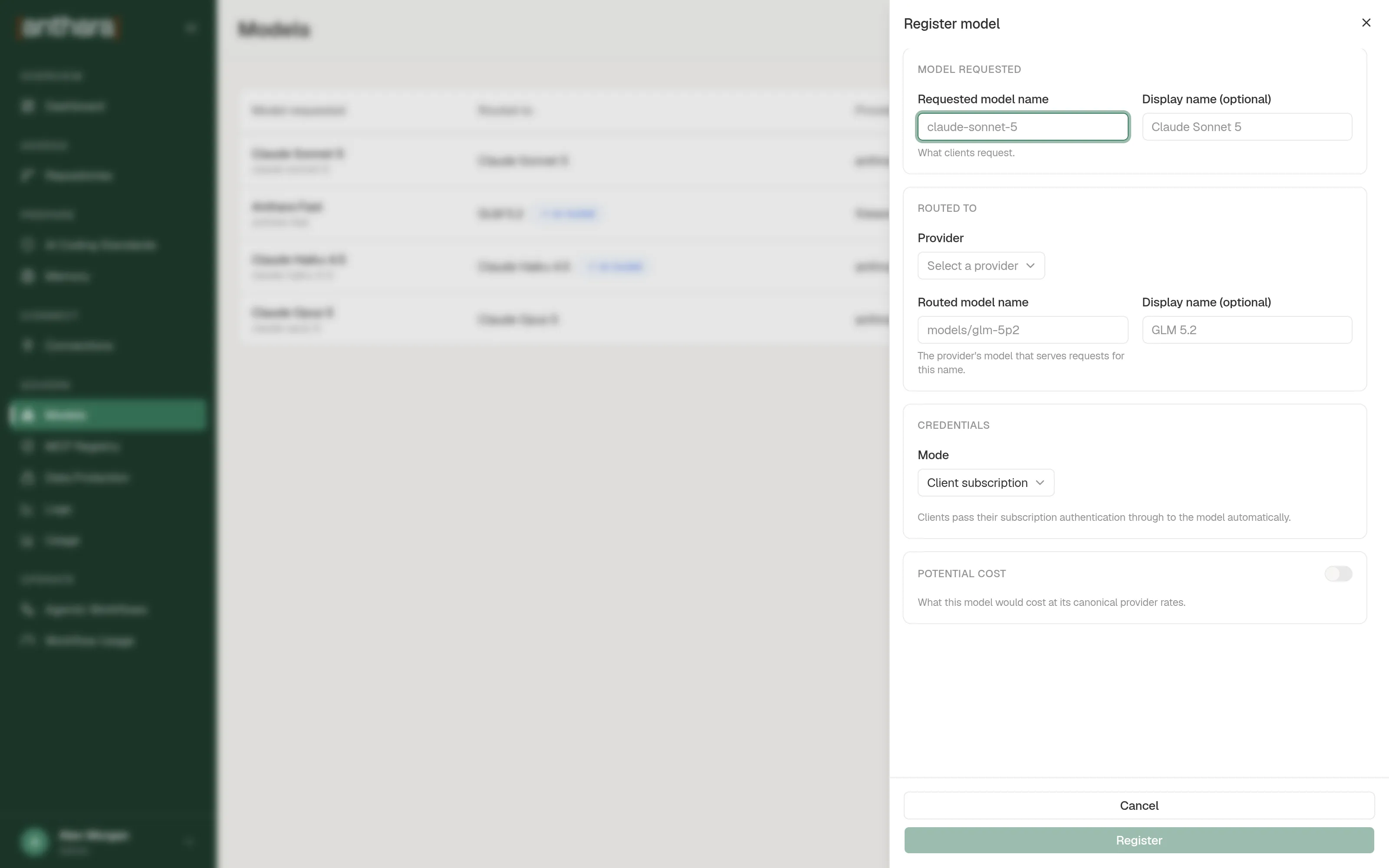
Section titled “Register a model”- Open Models and select Register model.
- Fill in the Model requested section.
- Fill in the Routed to section.
- Choose a credentials Mode.
- Optionally turn on Potential cost and enter the rates.
- Select Register.
The new model appears in the table. Clients can request it straight away.
Fields
Section titled “Fields”| Section | Field | What to enter |
|---|---|---|
| Model requested | Requested model name | The name clients request, for example claude-sonnet-5. |
| Model requested | Display name (optional) | A readable name for the table. |
| Routed to | Provider | The provider that serves the request. |
| Routed to | Routed model name | The provider’s own name for the model. |
| Routed to | Display name (optional) | A readable name for the routed model. |
| Potential cost | Input $/1M, Output $/1M, Cache read $/1M, Cache write $/1M | The requested model’s rates per million tokens. The Usage page uses them to work out savings. |
Credential modes
Section titled “Credential modes”The Mode field decides how the proxy authenticates with the provider.
| Mode | What happens | Extra fields |
|---|---|---|
| Client subscription | The client’s own subscription login is passed through to the model. The proxy stores no key. | None |
| API key | The proxy stores a key and uses it for every request to this model. | API key, API base URL (optional) |
| Environment variable | The proxy reads the key from an environment variable each time it calls the model. | Environment variable, API base URL (optional) |
Edit a model
Section titled “Edit a model”- In the model’s row, select Edit.
- Change the fields you need. You can’t change Requested model name.
- Select Update.
In API key mode, leave the key blank to keep the stored key. Enter a new key to replace it.
Delete a model
Section titled “Delete a model”- In the model’s row, select Delete.
- Confirm in the dialog.
Clients that request the deleted name start failing immediately. Past usage keeps its rows. The savings report shows the raw model names for those rows.