

Create a pack and add rules
A pack groups the rules you want AI tools to follow. This page shows how to create one and fill it with rules.
If packs and rules are new to you, read AI Coding Standards first.
Create the pack
Section titled “Create the pack”-
Open AI Coding Standards.
-
Select the Org-wide tab or the Custom tab. The tab you are on sets the starting value of Apply Org-wide.
-
Select Create pack.
-
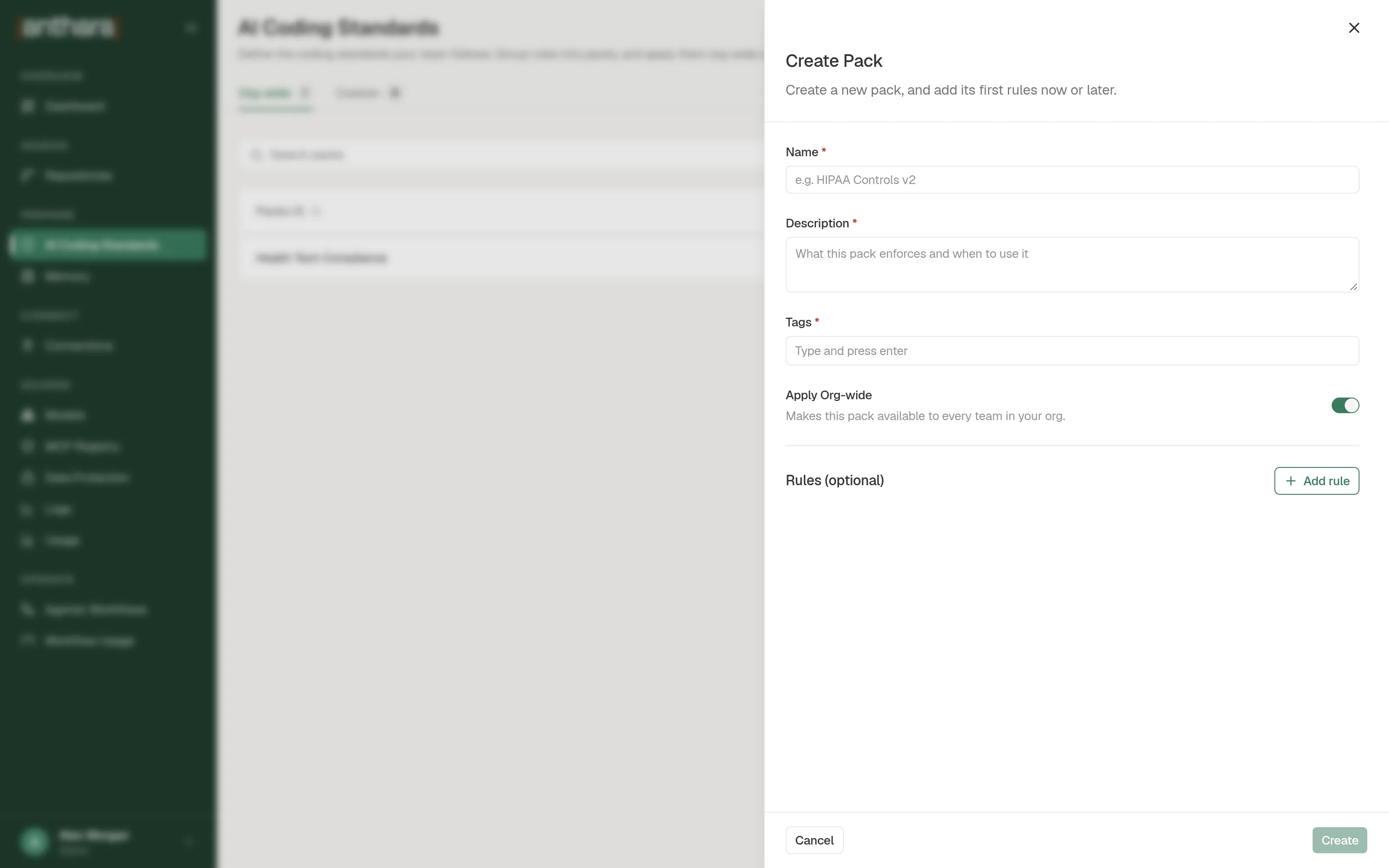
Fill in the three required fields.
Field What to enter Name A short name, such as HIPAA Controls v2.Description What the pack enforces and when to use it. Tags One or more topic labels. Type a tag and press Enter. -
Turn Apply Org-wide on if every repository should get this pack. Leave it off for a pack you will apply to chosen repositories.
-
Optional: select Add rule to add the first rules now.
-
Select Create.
The pack appears in the list with its rule count, tags, and Last Updated date.
Add a rule
Section titled “Add a rule”-
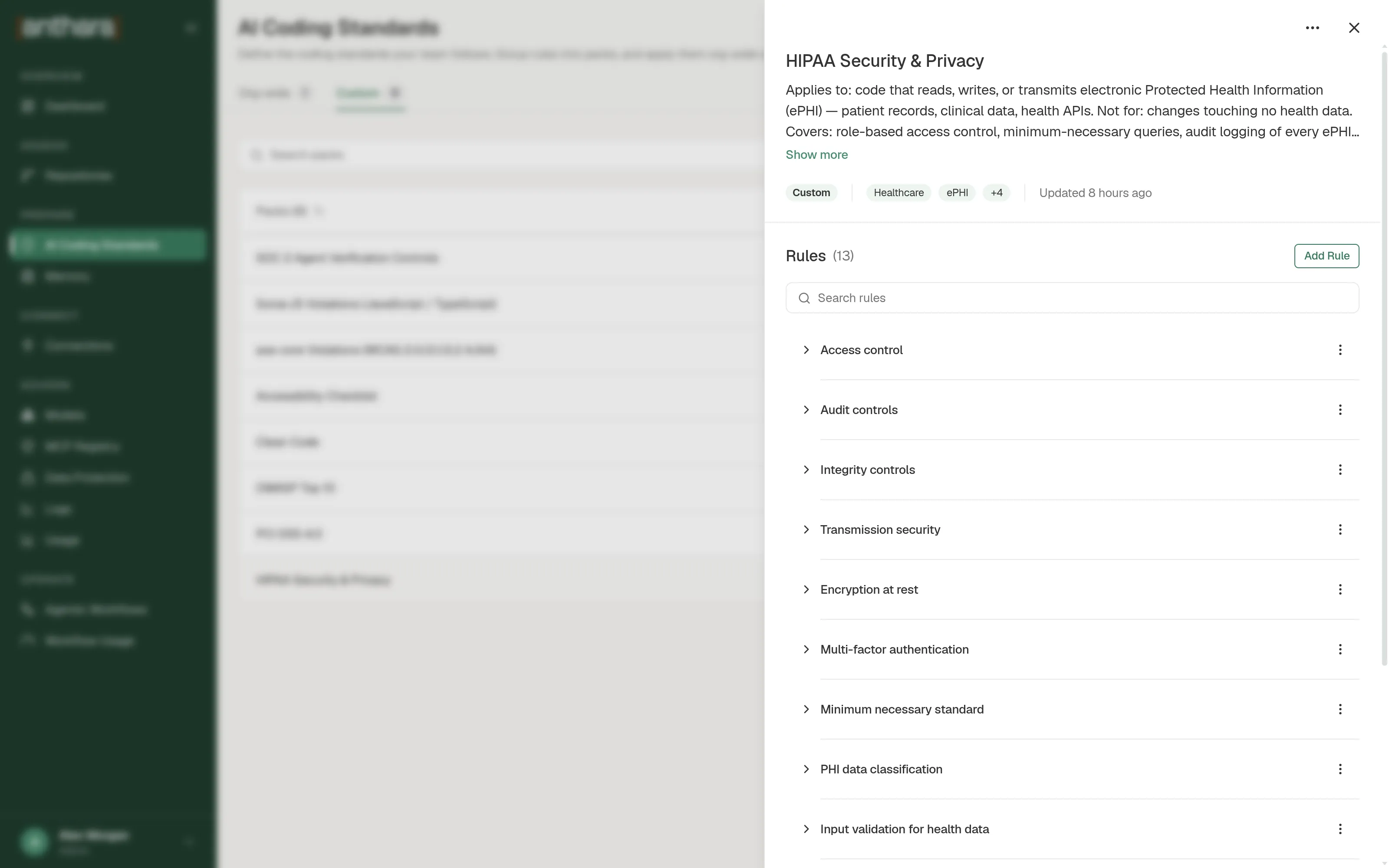
In the pack list, open the row menu for the pack and select Add rule. You can also open the pack and select Add Rule.
-
Fill in both fields.
Field What to enter Rule name A short name, such as Never log patient identifiers.What this rule enforces What AI tools must do or avoid, and why. -
Tick Keep adding rules if you have more rules to enter.
-
Select Add rule.
Write each rule as a plain instruction. An AI tool reads the text exactly as you wrote it.
Edit or delete
Section titled “Edit or delete”| To do this | Do this |
|---|---|
| Edit a pack | Open the pack’s row menu and select Edit. Change the fields and select Save. |
| Edit a rule | Open the pack, open the rule’s menu, and select Edit. Then select Save rule. |
| Delete a rule | Open the rule’s menu and select Delete. Confirm in the Delete Rule dialog. |
| Delete a pack | Open the pack’s row menu and select Delete. Confirm in the Delete Pack dialog. |
Deleting a pack deletes all of its rules. It can’t be undone.
Find a pack or a rule
Section titled “Find a pack or a rule”Use Search packs on the list. It matches the pack name, description, and tags. Inside a pack, use Search rules.
Next step
Section titled “Next step”A Custom pack does nothing until you apply it. See Apply packs to a repository.