

Agentic Workflows
An agentic workflow is a YAML file that tells Anthara what to do and when to do it. This page explains the idea and the Agentic Workflows page in the web app.
What a workflow is made of
Section titled “What a workflow is made of”A workflow has three parts.
| Part | What it does |
|---|---|
| Trigger | Decides when the workflow starts. For example, a person selects Run, or a schedule fires. |
| Steps | The work, in order. A step can read tickets, run an AI agent, change code, or send a message. |
| Model settings | Optional limits for the AI agent, such as the model, the number of turns, and the budget. |
A run is one execution of a workflow. Each run keeps its own steps, logs, and status.
What a workflow can do
Section titled “What a workflow can do”- Read work items from Jira or Azure DevOps.
- Run an AI agent on each item.
- Ask a person a question in Microsoft Teams and wait for the answer.
- Change code in a repository and open a draft pull request.
The Agentic Workflows page
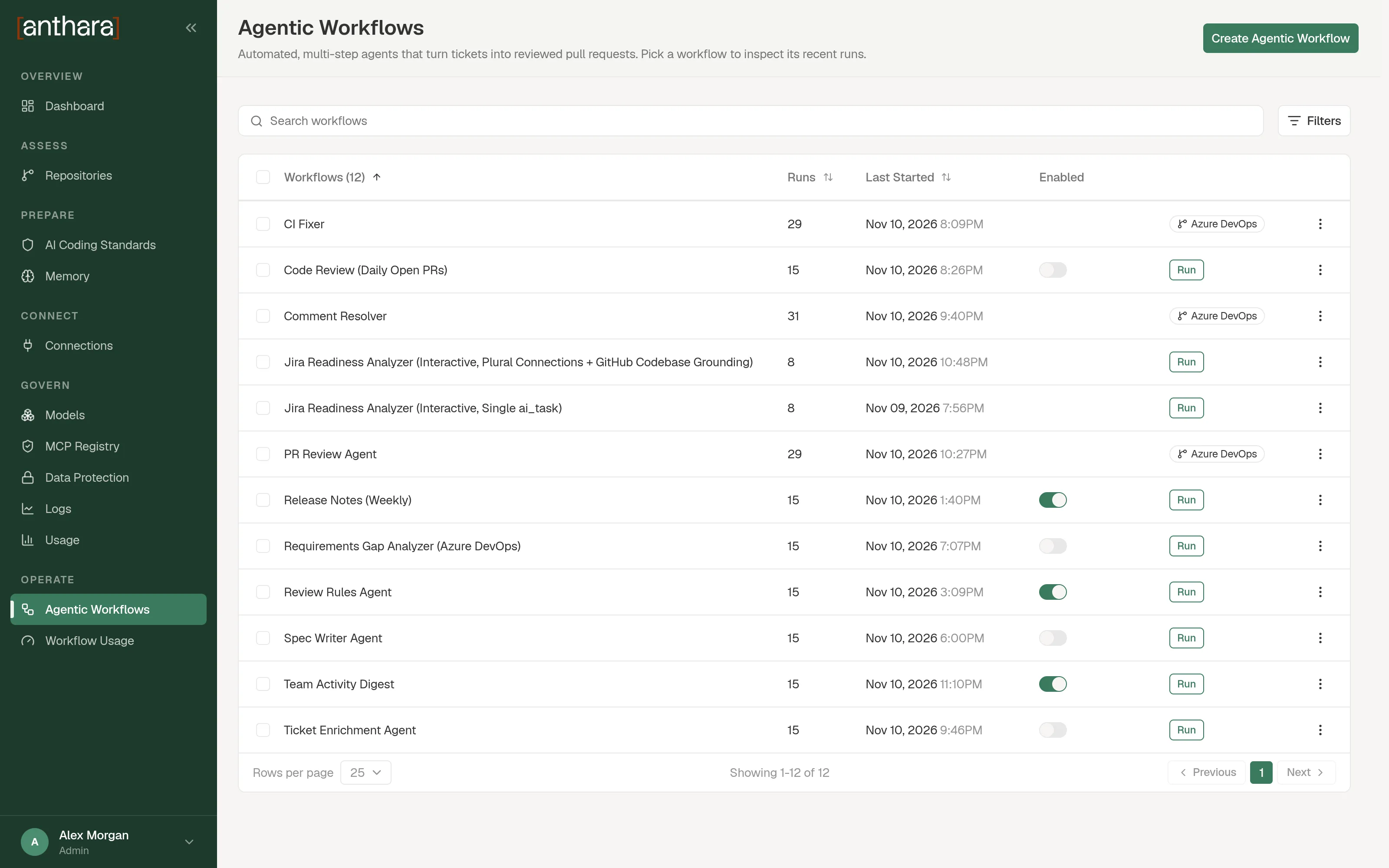
Section titled “The Agentic Workflows page”Open Agentic Workflows in the sidebar. The page lists every workflow.
| Column | What it shows |
|---|---|
| Workflows | The workflow name. Select a row to open the workflow and its runs. |
| Runs | How many times the workflow has run. |
| Last Started | When the latest run started. |
| Enabled | A switch. Turn it off to stop the workflow from starting new runs. |
| Trigger | A Run button for workflows that a person or a schedule starts. A GitHub or Azure DevOps icon for workflows that start from an event. |
Above the table you can do three things:
- Search workflows finds a workflow by name.
- The Status filter shows Enabled or Disabled workflows.
- The Last Activity filter shows workflows that Started this week or were Never run.
Each row has a menu with Edit and Delete. You can also tick several rows and delete them together.
How a run executes
Section titled “How a run executes”- A trigger starts the run.
- Anthara runs the steps in order. The output of one step is available to the steps after it.
- Each AI step runs in its own worker. A worker is a short-lived container on your cluster. It starts for one step and is removed when the step ends.
- The agent in the worker loads the
antharaplugin. This gives it the same standards and memory that a developer’s Claude Code session uses. - The run ends as Completed, Failed, or Cancelled.