

Apply packs to a repository
A Custom pack only takes effect on the repositories you apply it to. This page shows how to apply a pack to one repository.
Org-wide packs need no action. Every repository inherits them.
Before you begin
Section titled “Before you begin”- The repository is in your Repositories list. See Import repositories.
- At least one Custom pack exists. See Create a pack and add rules.
Apply a pack
Section titled “Apply a pack”- Open Repositories and select the repository.
- Select the AI Coding Standards tab.
- Select Apply Packs.
- Tick each pack you want. The dialog lists only Custom packs that are not applied yet.
- Select Apply. The button shows how many packs you ticked.
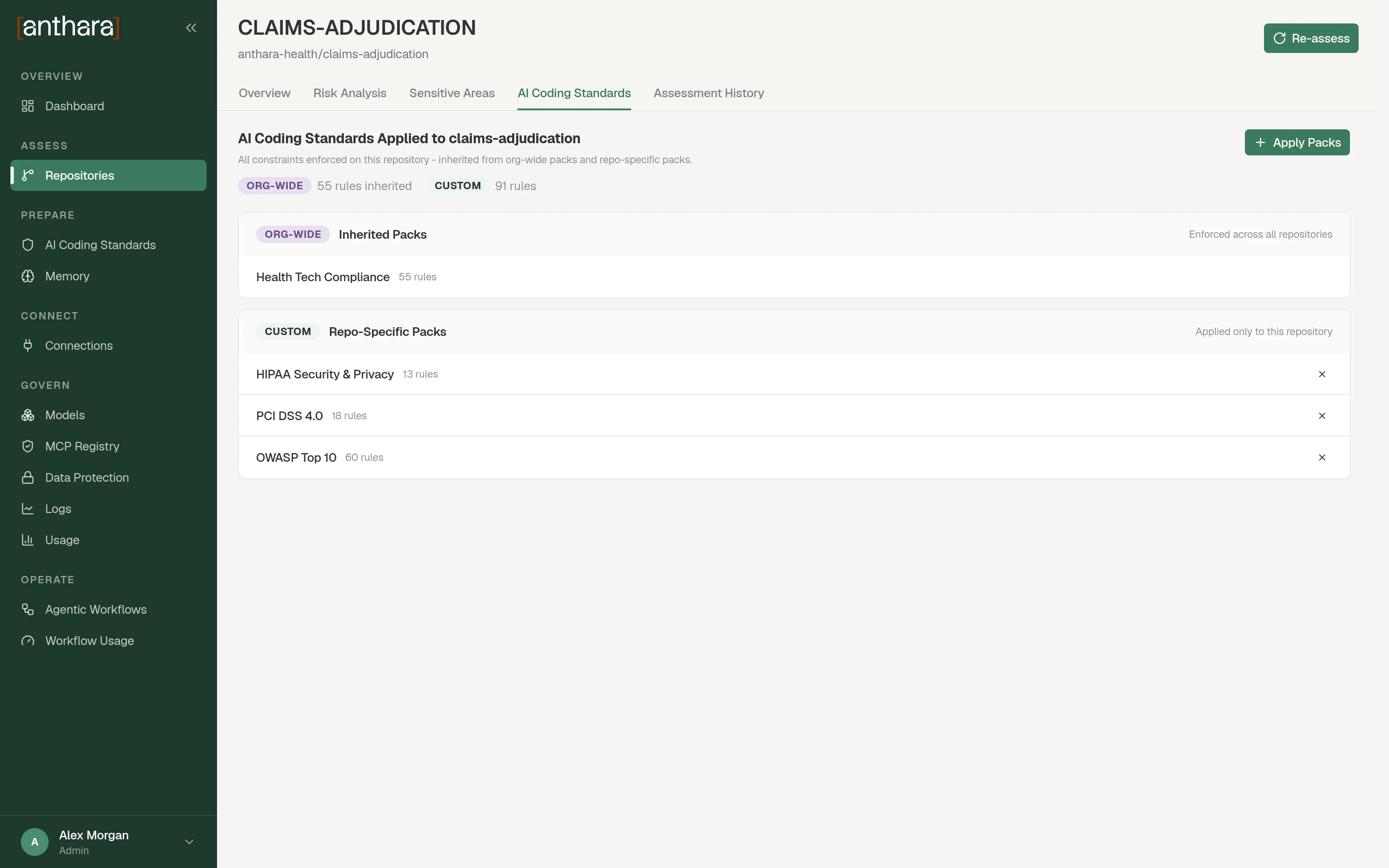
The packs now appear under Repo-Specific Packs.
Read the tab
Section titled “Read the tab”The tab lists every pack in force on the repository, in two groups.
| Group | Label | What it contains |
|---|---|---|
| Inherited Packs | ORG-WIDE | Packs enforced across all repositories. You can’t remove them here. |
| Repo-Specific Packs | CUSTOM | Packs applied only to this repository. |
Remove a pack
Section titled “Remove a pack”In Repo-Specific Packs, select the remove button on the pack’s row.
You can’t remove an org-wide pack from one repository. To stop it applying everywhere, edit the pack and turn off Apply Org-wide.
When the change takes effect
Section titled “When the change takes effect”Anthara sends the new assignment to Fabric. The next time an AI session in that repository asks for its standards, the answer includes the pack’s rules.
The session must be able to reach Fabric. If the repository shows the banner AI standards not active for this repository, see Activate Anthara on a repository.
If the dialog is empty
Section titled “If the dialog is empty”The dialog shows All packs have been applied when no Custom pack is left to apply. Create another pack, or check whether the pack you expected is org-wide.