

Runs
A run is one execution of a workflow. This page shows how to open a run, read it, and stop it.
Open a run
Section titled “Open a run”- Open Agentic Workflows.
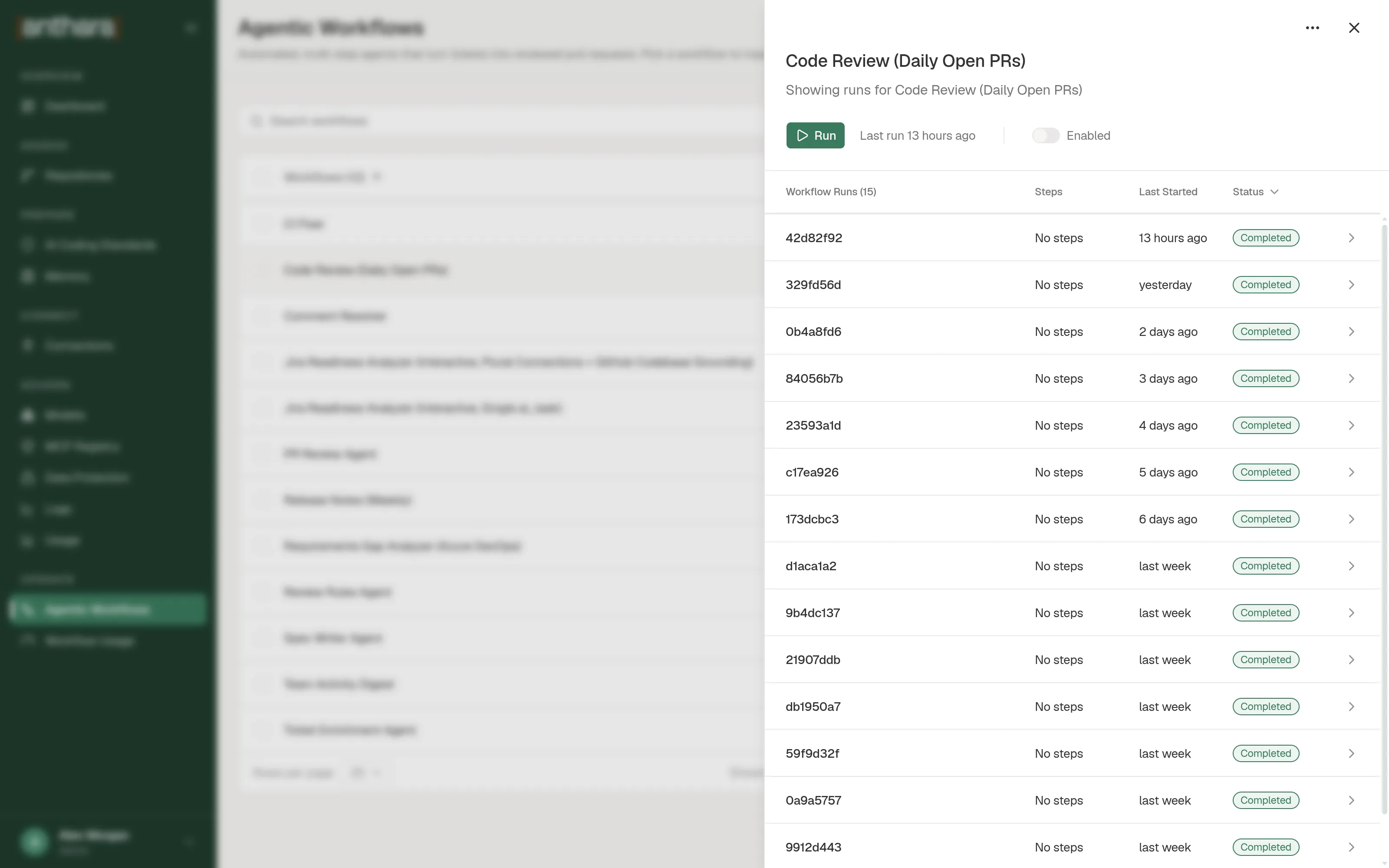
- Select a workflow row. A panel opens with the workflow’s runs.
- Select a run.
The runs table has four columns: Workflow Runs, Steps, Last Started, and Status. The Steps column shows progress, such as 2/3 completed.
Run statuses
Section titled “Run statuses”| Status | Meaning |
|---|---|
| Running | A step is running, or the run is waiting for its child runs. The runs table shows this as In Progress. |
| Collaboration Loop | The run is waiting for a person to answer a card in Microsoft Teams. |
| Completed | Every step finished. |
| Failed | A step failed. The run stopped at that step. |
| Cancelled | Someone stopped the run, or a newer event replaced it. |
A step has its own status. The step statuses are Pending, Running, Collaboration Loop, Completed, Failed, and Skipped.
Read a run
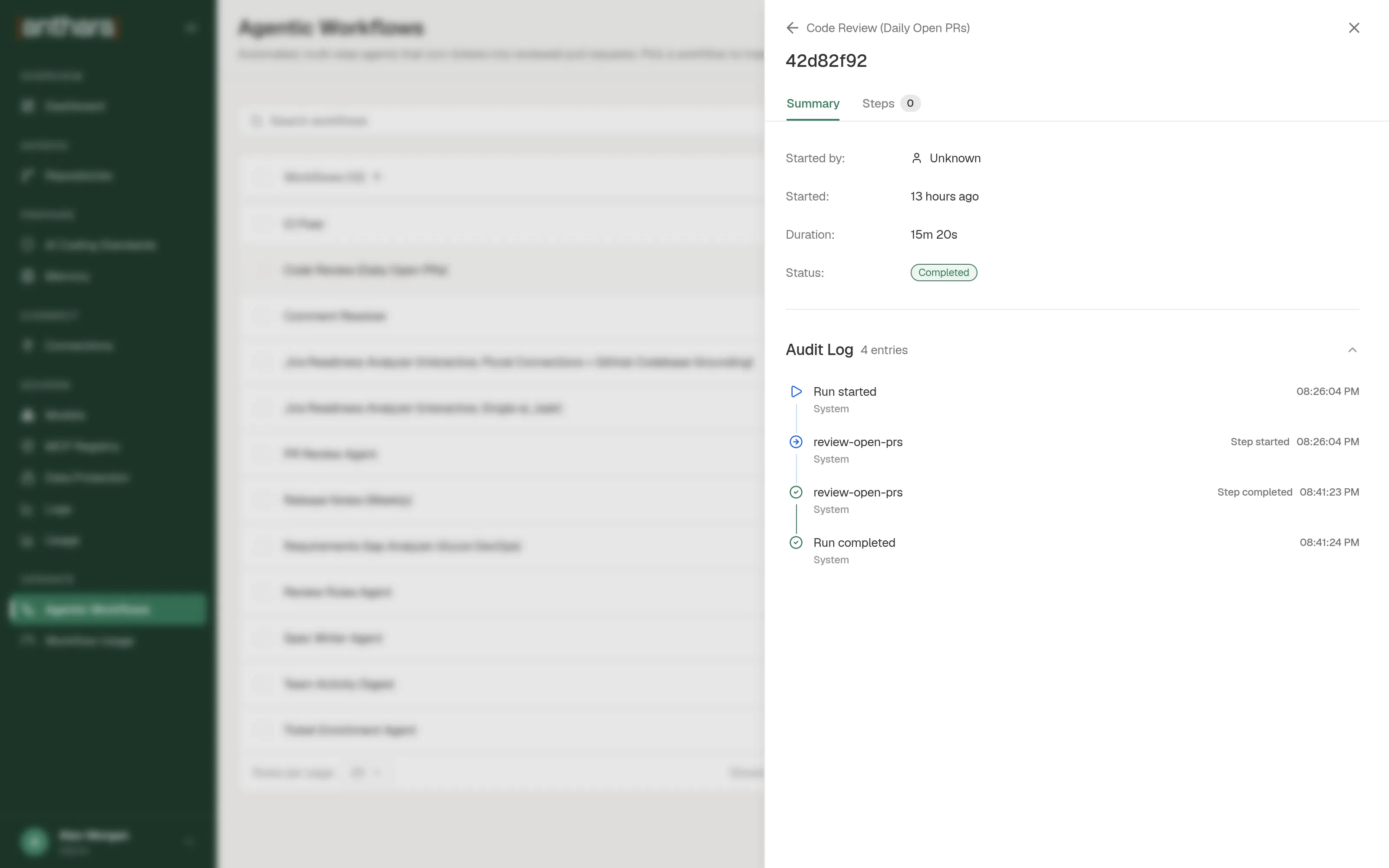
Section titled “Read a run”The run view has two tabs.
| Tab | What it shows |
|---|---|
| Summary | Started by, Started, Duration, and Status. |
| Steps | Every step, with its status, logs, and output. A step that fanned out also lists its Child Runs. |
The run view also has an Audit Log. It lists what happened and who did it, in order. Entries include Run started, Step started, Step completed, Step paused, Step failed, and Run completed. Actions that Anthara took on its own are marked System.
When a step fails, open it in the Steps tab. The error is shown above the step’s logs.
Stop a run
Section titled “Stop a run”- Open the run, or find the workflow in the list.
- Select Stop.
- In the Stop this run? dialog, select Stop Run.
The run changes to Cancelled. Steps that were running or pending are cancelled too, and a running worker is shut down. A stopped run cannot be resumed. Start a new run instead.
What happens when a step fails
Section titled “What happens when a step fails”A failed step ends the run. Anthara does not retry a step, and the steps after it do not run.
Write prompts so that a workflow is safe to run again. For example, ask the agent to check whether it already posted its comment before it posts one.
Limits
Section titled “Limits”| Limit | Value |
|---|---|
| Time for one AI step | Two hours by default. A worker that runs longer is stopped and the step fails. |
| Retries | None. |
| Runs executing at the same time | Two by default. Extra runs wait their turn. |
| Scheduled workflows | One active run per workflow. Extra scheduled runs queue. |
| Pull request events | New commits on a pull request cancel the run already in progress for that pull request. |
The time limit and the number of runs at the same time are deployment settings. The person who administers your deployment can change them.
The agent’s own limits, such as turns and budget, are set in the workflow. See Steps.